 AI Chat Toolsfor Chrome, Firefox & Edge
How to transfer a ChatGPT conversation to Claude
Short answerClaude can't import ChatGPT history. To continue a conversation, ask ChatGPT for a summary and paste it into a new Claude chat, or use AI Chat Tools: choose Continue in a new chat, pick Claude, and the condensed conversation opens in Claude's message box.
Method 1: Summarise and paste (no tools)
- In ChatGPT, ask: “Summarise this conversation so I can continue it elsewhere: goal, key facts, decisions and next step.”
- Copy the answer, open a new chat on claude.ai and paste it, followed by your next question.
It works, but long chats lose detail and you repeat it for every conversation.
Method 2: Continue in Claude with AI Chat Tools
- Open the ChatGPT conversation.
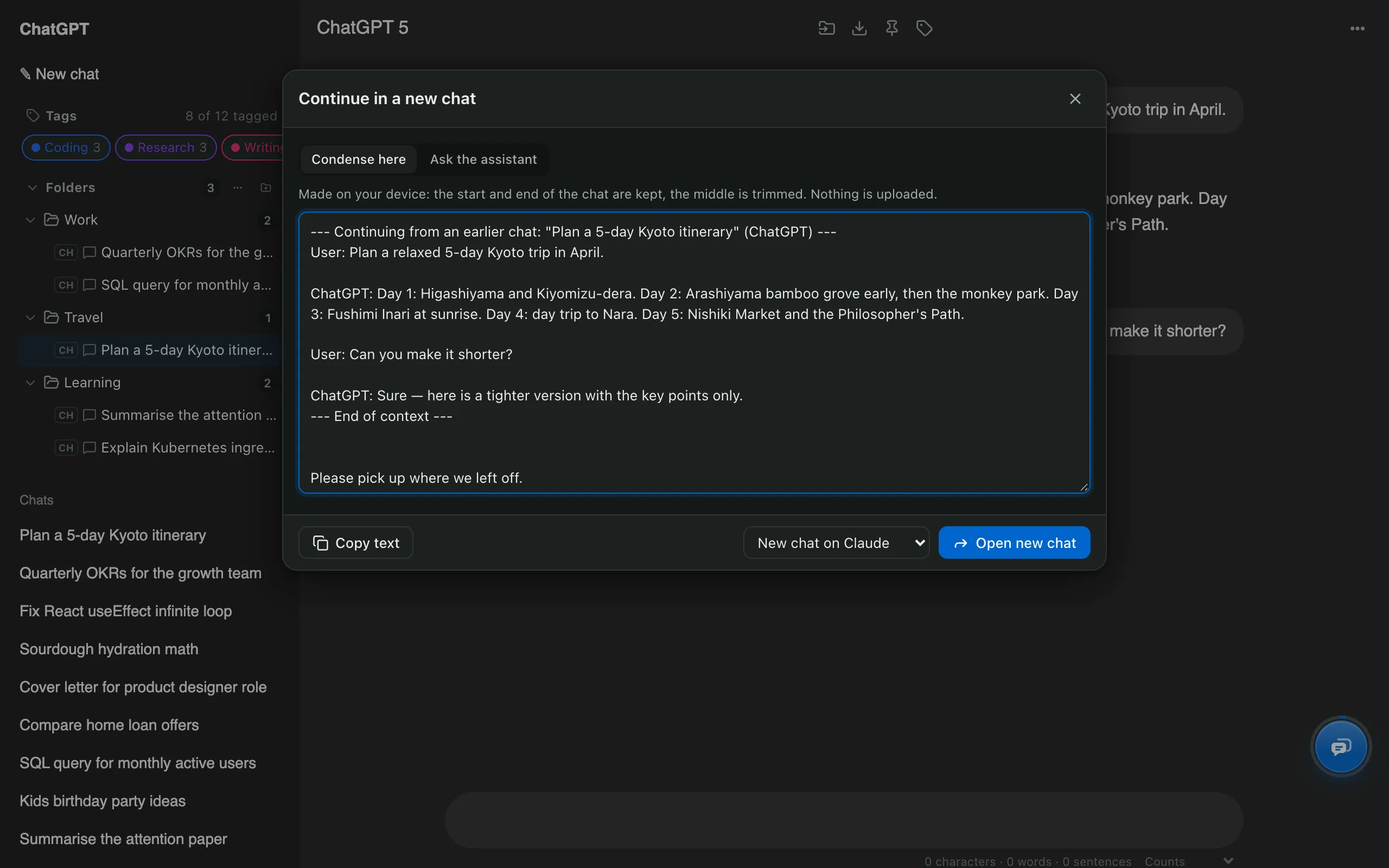
- Press Ctrl/⌘ + K and choose Continue in a new chat.
- Choose how to carry the context:
- Condense here: made on your device; keeps the start and end of the chat.
- Ask the assistant: ChatGPT writes the hand-off summary for you.
- Pick New chat on Claude and press Open new chat.
- Claude opens with the context in its message box. Add your question and send.
Which method keeps more context?
| Summarise and paste | AI Chat Tools | |
|---|---|---|
| Steps | 4–5, every time | 2 clicks |
| Keeps the original wording | No | Yes (Condense here) |
| Works to Gemini and Grok | Yes, by hand | Yes |
| Uploads anything | No | No |
Should I keep a copy of the original chat?
Yes. Before switching, export the chat as Markdown or PDF so the full conversation stays with you. More on moving chats between assistants.