 AI Chat Toolsfor Chrome, Firefox & Edge
How to search ChatGPT history (including by date)
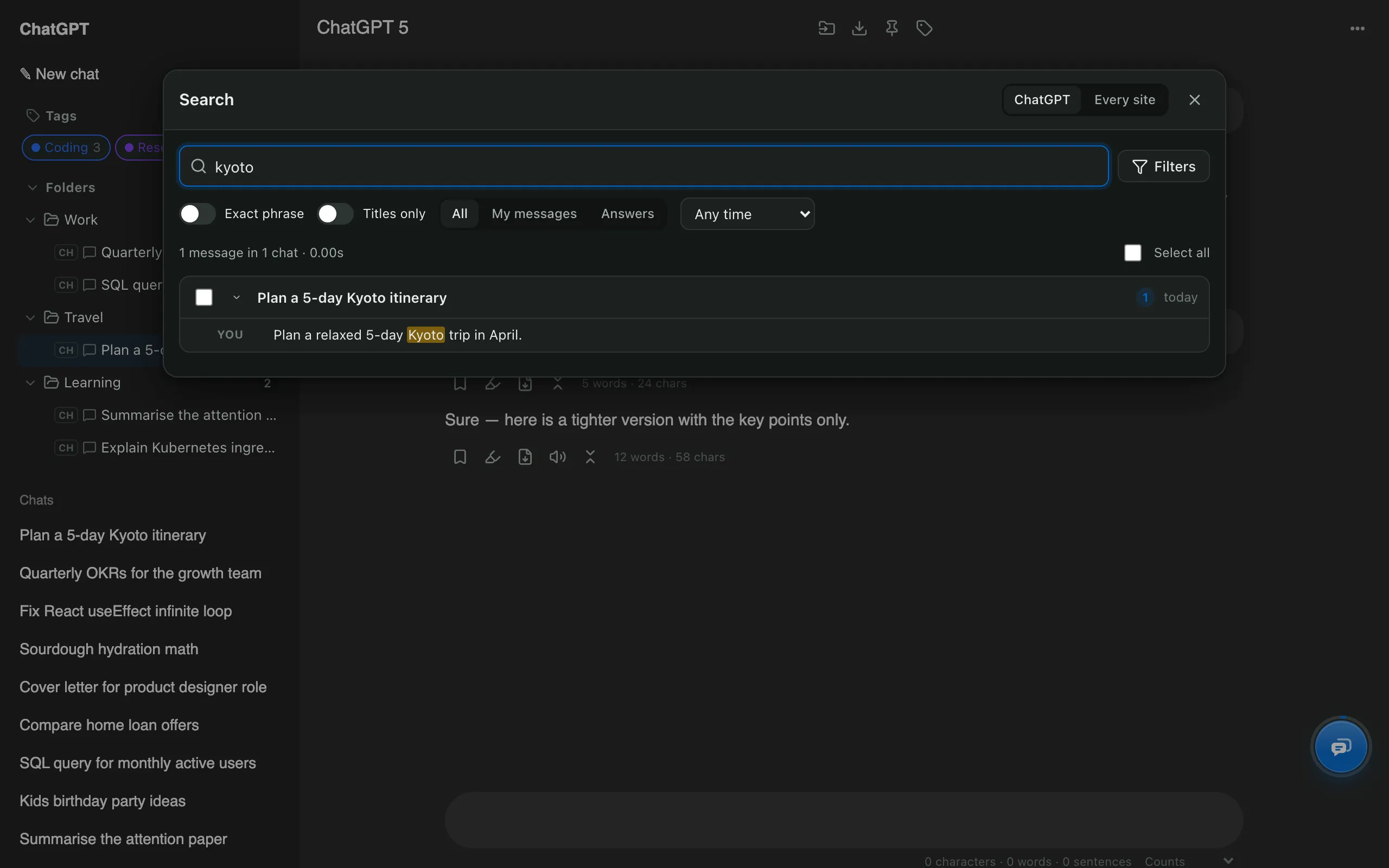
Short answerClick the search icon at the top of ChatGPT's sidebar to search your chats. ChatGPT can't filter by date or jump to a specific message; AI Chat Tools adds full-text search with date ranges, question/answer filters and jump-to-message (Ctrl/⌘ + Shift + F).
How do I search with ChatGPT’s built-in search?
Click the search icon at the top of the sidebar and type a word. It’s quick for recent chats, but there are no date or speaker filters.
How do I search every message with filters?
- Install AI Chat Tools and open chatgpt.com. Your chats are indexed in the background, taking about a minute the first time.
- Press Ctrl/⌘ + Shift + F and type what you remember.
- Click a result to open the chat at that exact message.
How do I search by date?
Open Filters and choose Past week, Past month, Past year or Custom range with from and to dates.
What other filters are there?
| Filter | Use it when |
|---|---|
| My messages / Answers | You remember what you asked, or what the AI said |
| Exact phrase | You need a word-for-word match |
| Titles only | You remember the chat's name |
| Every site | It might have been Claude, Gemini or Grok |
Can’t find it at all? Check where missing ChatGPT chats go.