 AI Chat Toolsfor Chrome, Firefox & Edge
What does the ChatGPT exporter do?
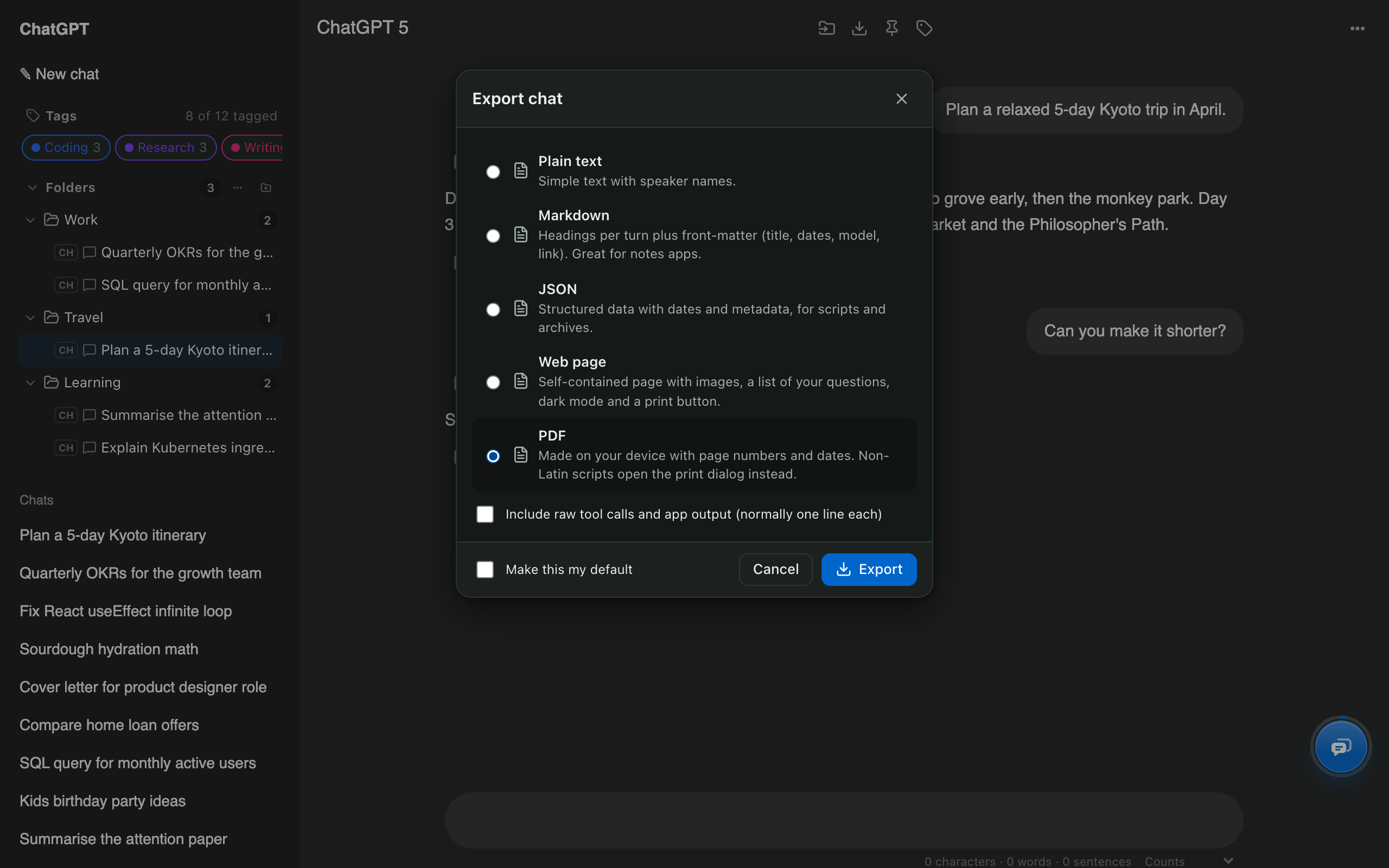
It turns any ChatGPT conversation into a file you own: a PDF to share or print, Markdown for notes apps, a web page that keeps images, JSON for scripts, or plain text. It works on one chat or hundreds.
How is this different from ChatGPT’s own data export?
ChatGPT’s built-in export (Settings → Data controls → Export data) emails you a ZIP of every conversation, and it can take a while to arrive. AI Chat Tools exports the chats you choose, right away, in a format you pick. See how to export ChatGPT to PDF for both methods side by side.
How do I export many chats at once?
Open Manage chats, tick the chats you want (or Select all) and press Export. You get one ZIP whose folders match your ChatGPT folders, so a project stays together.
Which format should I choose?
- PDF: sharing, printing, attaching to email.
- Markdown: Obsidian, Notion, GitHub; each turn becomes a heading.
- Web page (HTML): a single file that keeps images and has a dark mode and print button.
- JSON: scripts and long-term archives with dates and metadata.