Claude, Gemini and Grok

Export Claude, Gemini and Grok chats too.

The same one-click export, bulk tools, folders and search work on Claude, Gemini and Grok, so all your AI conversations live in one organised place.

Chrome: coming soonFirefox: coming soonEdge: coming soon
  • Free
  • Made on your device
  • ChatGPT, Claude, Gemini, Grok
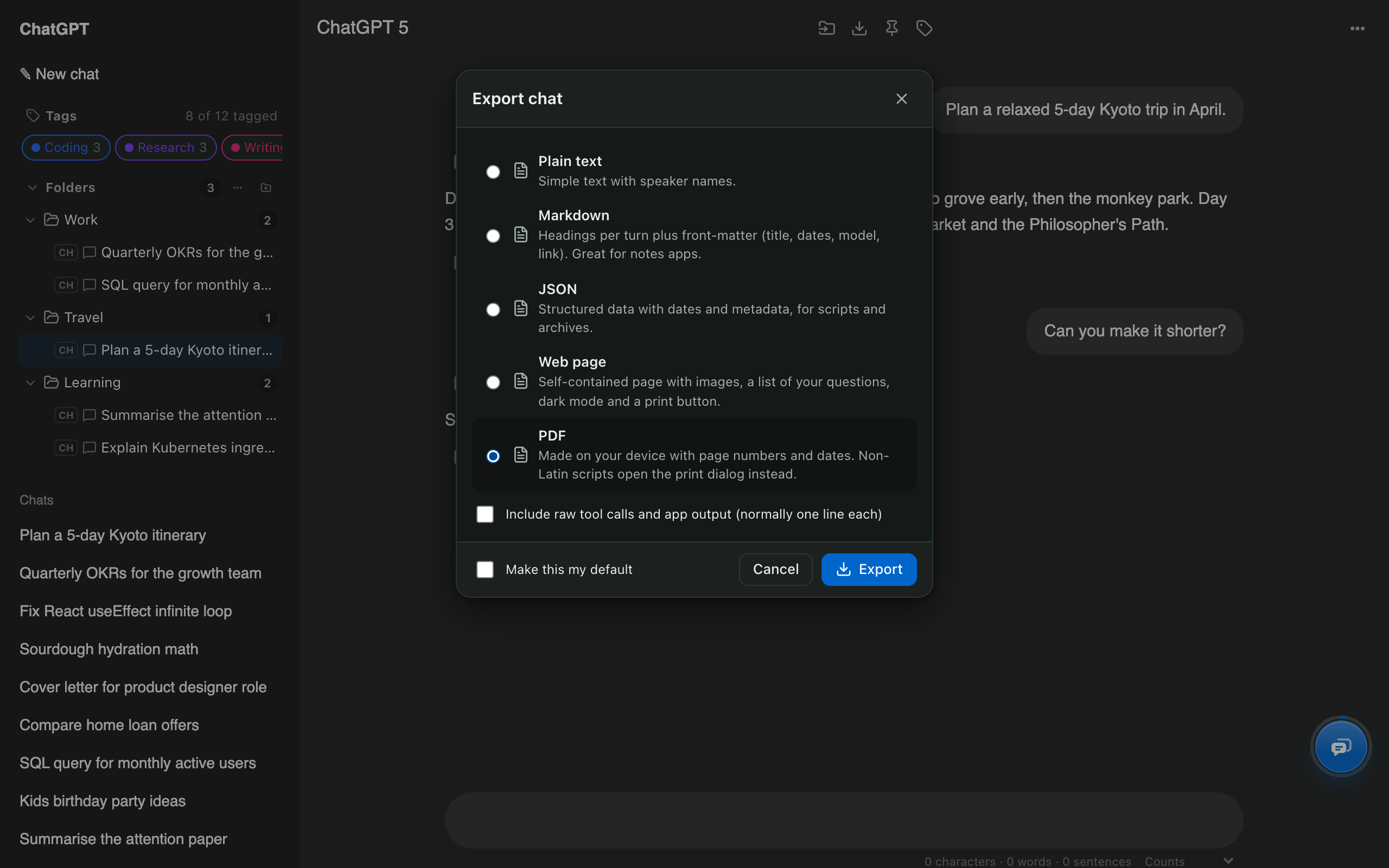
Export dialog with PDF, Markdown, JSON and web page formats

Claude & Gemini export: quick facts

SitesClaude (on by default), Gemini and Grok including Grok on X (switch on from the toolbar)
FormatsPDF, Markdown, plain text, JSON, web page (HTML)
Claude artifactsSaved in exports; the Artifact vault lists every version
BulkExport many chats as one ZIP
PriceFree

How to use it

  1. Open a conversation on claude.ai, gemini.google.com or grok.com.
  2. Press Ctrl/⌘ + K and type “export”.
  3. Choose a format and press Export.

Why export Claude or Gemini chats?

To keep a copy outside the app, share a conversation as a document, or move work into your notes. Built-in exports send your whole account by email; AI Chat Tools exports exactly the chats you choose, immediately.

Does everything else work on Claude, Gemini and Grok?

Yes: folders, full-text search, bulk delete and moving chats between assistants all work on every supported site.

Claude & Gemini export: common questions

How do I export a single Claude conversation?

Claude's own export (Settings → Privacy → Export data) emails every conversation at once. AI Chat Tools exports just the chat you're reading, instantly, as PDF, Markdown, JSON, text or a web page.

Do I need to turn on Gemini and Grok?

Yes, once. Click the AI Chat Tools toolbar button and switch them on; your browser asks for access to those sites.

Are Claude artifacts exported?

Yes. Artifacts are included in exports, and the Artifact vault lets you browse and download every version.

Free for Chrome, Firefox & Edge

Your AI chats, finally organised

Folders, export, bulk delete and search for ChatGPT, Claude, Gemini and Grok. Free, and your chats never leave your device.

Chrome: coming soonFirefox: coming soonEdge: coming soon
Read the guides